Designing an AI Career Platform for Experienced Professionals

Helping users get noticed, stay organized, and interview with confidence.

0 → 1

B2C

AI

CareerTech

Shipped

Project Overview

NxtJob.ai is a 0→1 AI career platform built for experienced professionals navigating a job search while managing full-time work.

I designed three connected tools across the web app and Chrome extension: LinkedIn Profile Optimizer, Job & Network Tracker, and AI Mock Interview Platform. Together, these tools helped users improve their professional visibility, organize applications and referrals, and prepare for interviews with more confidence.

The product started with research, not an existing UX foundation. My work focused on translating user pain points into clear workflows, usable AI interactions, and a more guided job-search experience.

Role

UX Designer

Duration

18 months

Team of 6

1 UX designer (me), 1 Sr. UX designer, 1 PM, 3 developers

Tools

Figma, Zoom, Google Suite

Problem

Experienced professionals were managing high-stakes job searches across too many disconnected tools – LinkedIn, spreadsheets, saved posts, emails, notes, and generic interview resources.

This created four key problems:

  • Users didn't know which LinkedIn profile sections were helping or hurting their recruiter visibility.

  • Job applications, referrals, and follow-ups were scattered across spreadsheets, inboxes, and personal notes.

  • Users knew networking helped, but didn't know who to reach out to, what to say, or how to follow up.

  • Users had no reliable way to improve pacing, filler words, or confidence before real interviews.

Impact

Usability testing with 15 users showed that the AI-assisted flows reduced manual effort and improved confidence:

79% less manual tracking time

Users completed the application tracking task faster with the Chrome extension and Kanban tracker compared to manual spreadsheet entry.

Post launch

NxtJob holds a 4.6/5 on Trustpilot (225 reviews), and the Chrome extension – the Profile Optimizer I designed – is rated 5/5 on the Chrome Web Store.

80% task success rate

Most users completed the AI profile optimization flow and approved changes without help.

45% higher interview confidence

Users reported feeling more prepared after completing one AI mock interview session with feedback

Research & Insights

Research Goal:

I wanted to understand how experienced professionals manage job searching, personal branding, application tracking, networking, and interview preparation – and where AI could support them without taking away control.

A. Methods Used:

  1. Literature Review
    Reviewed research on job-search stress, professional visibility, interview anxiety, and trust in AI-assisted tools.

  2. Structured Interviews
    Interviewed mid-to-senior professionals with 8+ years of experience who had recently searched for jobs, used LinkedIn, tracked applications, networked, and completed interviews.

  3. Affinity Mapping
    Grouped interview responses into recurring themes to identify the strongest pain points and product opportunities.

B. What I Learned

1. Users wanted LinkedIn guidance, not automatic changes
Participants were unsure how recruiters perceived their profiles. They wanted AI support, but still wanted to review, edit, and approve suggestions before making changes.

Opportunity area: How might we help users improve LinkedIn visibility while keeping them in control of their professional identity?

2. Application tracking was highly manual
Most users tracked jobs through spreadsheets, email, saved posts, and notes. This made it hard to manage application status, follow-ups, and referral activity.

Opportunity area: How might we centralize job applications, referrals, and follow-ups so users can understand progress at a glance?

3. Interview prep lacked objective feedback
Users practiced answers, but lacked clear feedback on delivery, pacing, filler words, confidence, and answer structure.

Opportunity area: How might we help users practice interviews in a low-pressure way with feedback they can act on?

Key Takeaway

The research showed that experienced professionals did not need another generic job-search tool. They needed a guided system that reduced manual effort, supported decision-making, and kept them in control of how AI shaped their professional identity.

Ideation & Product Structure

A. User Journey Map

To connect the research findings into one end-to-end experience, I mapped how experienced professionals move through the job-search journey from improving their profile to tracking applications, networking, and preparing for interviews.

This helped identify where users felt the most friction and where NxtJob could support them with clearer, more guided tools.

B. Information Architecture

During interviews, a pattern emerged: users didn't want to leave LinkedIn to improve their profile, and they didn't want to leave a job posting to save it. But they did want a central place to review everything later. 

This split the product into two connected experiencesa Chrome extension for in-context actions on LinkedIn and job pages, and a web platform for tracking, practice, and progress. Quick actions stay where users already are. Reflection and planning get their own space.

C. Task Flows

After defining the product structure, I created task flows for the three core experiences. This helped clarify what users needed to do, where AI support should appear, and where users needed control before moving into wireframes.

These flows helped reduce unnecessary steps and made each AI interaction feel more transparent, reviewable, and user-controlled.

Collaboration note

During wireframe reviews, the team debated whether AI profile suggestions should auto-apply to reduce friction. I presented interview data showing users wanted to review changes first. 

We landed on a "score → suggestion → review → approve" flow – a decision that directly shaped the 80% task success rate in testing.

Sketches & Wireframes

Explored layout directions through rough sketches, then refined into low-fidelity wireframes to test structure, hierarchy, and task clarity before moving into high-fidelity design.

High Fidelity Design

The approved wireframe directions were translated into high-fidelity screens for the web platform and Chrome extension, then used for usability testing to evaluate task clarity, speed, confidence, and overall usability.

Usability Testing & Feedback

After the high-fidelity prototype was ready, usability testing was conducted with 10 users to validate:

  • Task clarity across the three core flows

  • Speed of saving and tracking applications

  • Trust and control in AI-generated suggestions

  • Confidence after completing a mock interview session

Feedback was used to refine the extension workflow, AI prompt selection, and review experience.

A. Results

Usability metrics validated the core product decisions (full results in Impact section).

The key takeaway: users valued AI support only when suggestions were transparent, editable, and reviewable before applying.

 B. Key Testing Takeaway

The usability test confirmed that users valued the AI support, but only when the experience felt transparent and controllable. The biggest design opportunity was not adding more automation, but making AI suggestions easier to understand, review, and approve.

Final Solution

Three connected tools across the Chrome extension and web platform:Build workflow:

  1. An AI-assisted extension that scans a user’s LinkedIn profile, generates a profile score, and highlights which sections are strong, missing, or need improvement. 

  1. A centralized workspace for managing saved jobs, application stages, referrals, notes, and follow-ups in one place.

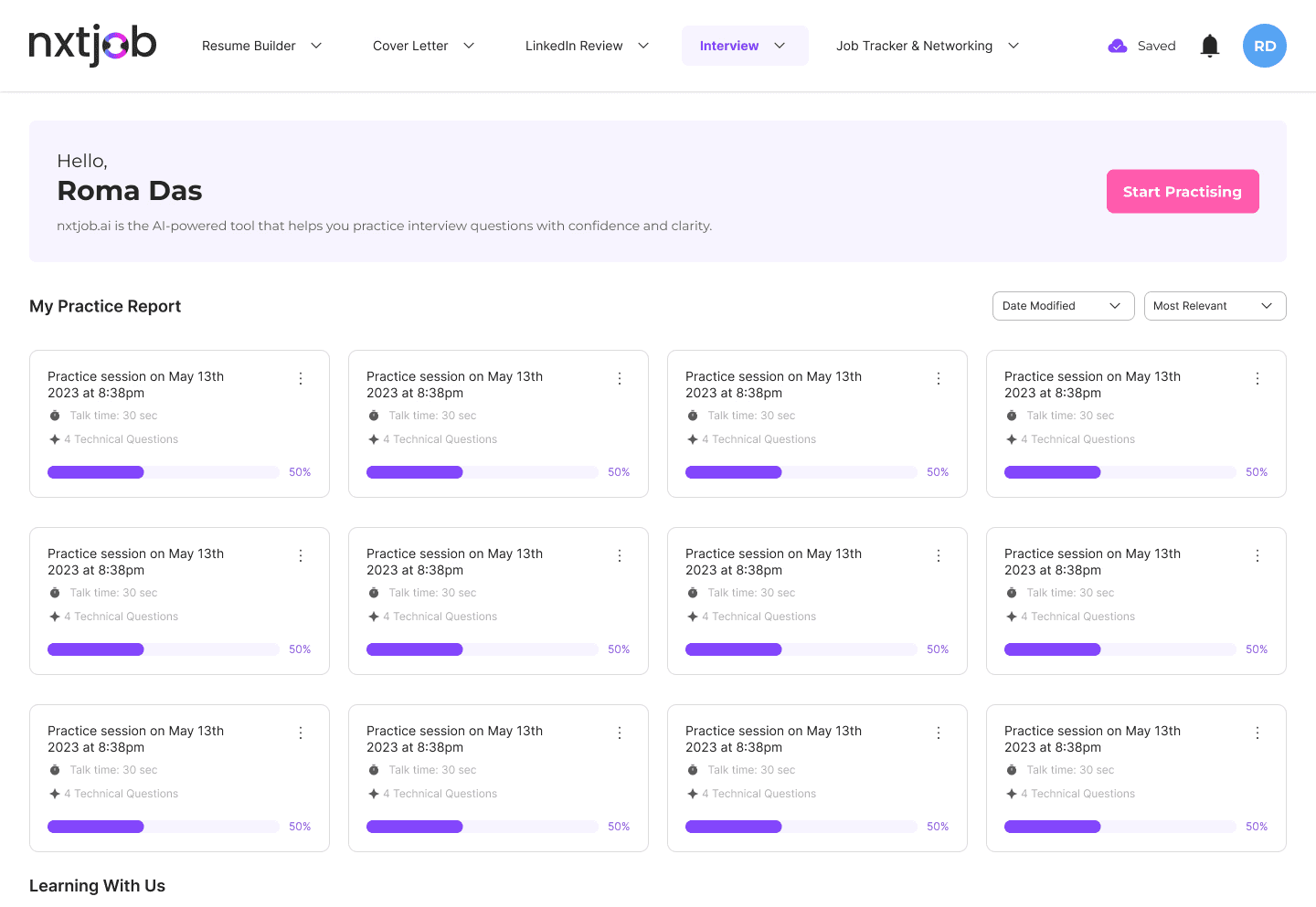
  1. A practice tool that helps users prepare for interviews through role-based questions and AI feedback.

Key Learnings
  1. Splitting the product across two surfaces – extension and web – wasn't the original plan. Research showed users refused to leave their current context for quick actions. That finding reshaped the entire product architecture, not just a feature. I learned to move faster during exploration and prototyping with AI tools, while still evaluating every output against user needs and usability findings.


  2. Working with a PM who wanted more automation taught me to use data as a design argument. Usability findings gave me the language to push back and advocate for user control – not as an opinion, but as evidence.


  3. Designing three connected tools in one product taught me that consistency across flows matters more than perfecting any single screen.

More Screens
Interested in Connecting?

Let’s talk opportunities, collaborations, or anything design!

© 2026 Ashlesha. All rights reserved.